


In our world, today where remote classes have become a necessity, presentation software, such as video conferencing software has become indispensable. Video conferencing tools make online communication possible.
It supports virtual, audio meetings, and virtual seminars and conferences using in-built features. It allows the tutor to share the screen and also do voice and video recording. Video conferencing makes video presentation over long distances possible.
It also supports international communication and promotes easy collaboration, irrespective of location. In this post, we will look at the best five conferencing software tools to start an online course.
SOOMUS: The Perfect Collaboration Tool for Video Conferencing
SOOMUS made it to our list of the 5 best video conferencing software tools to start online courses not because it is a video conferencing tool in itself. It made it to the list because it is a powerful collaboration tool that makes your video conferencing software more effective and highly impacting.
SOOMUS is the best presentation software that makes it easy to connect with your students for an interactive online classroom in a dynamic way. It is a free presentation software tool that lets you import your PowerPoint presentation into the video while maintaining the crucial human connection with your online student.
With this tool, you can easily display your course content to enable your students to follow your teaching in an immersive learning environment. SOOMUS easily connects with different video conferencing software options, such as ZOOM, Skype, Discord, and more. You can learn more from the official website of SOOMUS.
Unique Features of SOOMUS for Online Courses
- Huge collection of templates
- Easy to import PowerPoint presentation
- Compatible with various video conferencing tools
- Compatible with different versions of Windows devices
Zoom Meeting: Top Video Conferencing App
Zoom Meeting features high-quality performance, a generous free package, and affordability for the paid version. With the outbreak of the Coronavirus pandemic, Zoom Meeting became the top choice among software options for video conferencing, thanks to its generous packages.
It is a top choice for businesses, academics, and personal usage. The software is compatible with all devices, including Windows desktops and laptops, Linux, and Apple macOS. It also has applications for Google Android, and Apple iOS, which users can download and install on their devices.
Its affordability makes it a great choice for many academic institutions as it allows users to host up to a hundred people with the free package.
It features a Gallery view mode that lets you see up to 49 people per time during course delivery. That means you can use this tool for free to host your students online for the duration of your lectures. Here are some features of Zoom Meetings:
- Stellar performance
- Use to use with user-friendly interface
- Exceptional features for both the hosts and participants
- Good record of prompt support
- Generous free account and competitive paid packages
Google Meet
This is another exceptional video conferencing product with numerous features. Although it has a free package, you would need to subscribe to the paid Google Workspace to explore the full potential of Google Meet. You do not require any installation to use this tool.
Additionally, if you do not want the full Google Workspace package, you can simply go to the Google Meet webpage and click on the “Start a Meeting” button. You can also copy the invite link to send to your students to request that they join the class.
Google Meet works best with Google Chrome, so you might want to consider this when opening the software. Google Meet also has a dedicated application, which is available on both Google Play Store and Apple Store. That means that your students can learn on the go irrespective of their location. Here are some features of Google Meet:
- Comes with document collaboration
- Integrates well with Google Workspace and other Google applications.
- Does not require any installation
- Comes with cool features that make the teaching and learning experience highly effective
Microsoft Teams
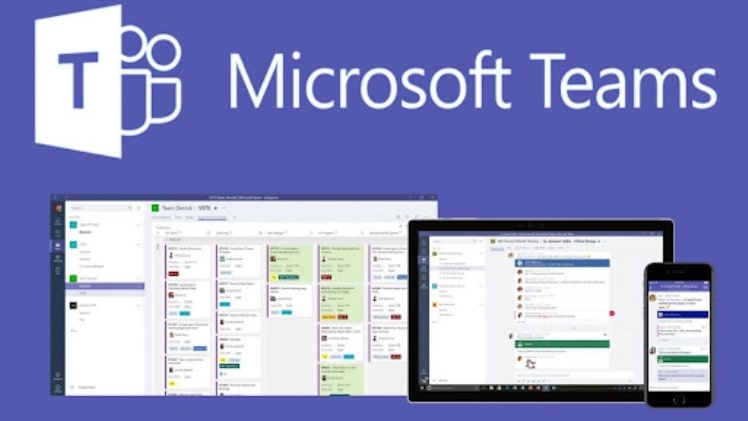
Microsoft Teams features video conferencing, voice, video, and messaging all built into a single package for Microsoft 365. It comes with a plethora of features, which include close connectivity with other applications within the Microsoft domain. Microsoft Teams is seamless to use as a web app or a Windows 10 desktop application.
It also has mobile versions for both Android and iOS devices to enable learning on the go. Microsoft Teams offers the option to customize your team space. The software features three default tabs, which are Wiki, Files, and Post.
You can use all these features and more to make your teaching experience more effective and rewarding. Microsoft Teams offers audio calling, video calling, and screen sharing. Here are some features of this software:
- Closely integrates with other Microsoft Office applications
- Comes with a plethora of integration options
- It is highly customization
- It is available in Microsoft 365 business accounts
ZOHO: Simple Video Conferencing Tool
ZOHO is undoubtedly free presentation software that is solid for fundamental web presentations and screen sharing. It is a low-cost video conferencing solution and it is a great choice for individuals just starting in providing online courses. It can take a limited number of participants.
If you have less than ten students, ZOHO may be a good option to start your courses with. It features an unobtrusive layout that makes your online course delivery a breeze. ZOHO is available for Linux, Microsoft Windows, and Apple macOS.
It also features dedicated applications for Google Android and Apple iOS. Here are some features of the ZOHO video conferencing tool:
- Allows up to forty simultaneous video feats
- Excellent webinar features
- Offers competitive price packages.
Conclusion
These are the top five video conferencing software options to start your online course delivery. So, are you a tutor looking to explore the online platform for your student? You can explore these five tools to get started with your online courses.
